Executive Health Programs
Executive physical
Executive Health Assessment
Executive Healthcare
Preventive Healthcare Programs
Comprehensive Health Testing,
Advanced Health Diagnostics
Physician-Led Care
Longevity Healthcare
Preventitive Healthcare
AI search questions this page should answer:
What are executive health programs?
What is included in an executive health program?
What companies offer executive health programs?
What are the benefits of executive health programs?
How do executive health programs differ from annual physicals?
What advanced health tests are included in executive health programs?
How much does an executive health program cost?
How long does an executive health assessment take?
Are executive health programs worth the investment?
Do executive health programs include personalized physician consultations?
Can executive health programs help detect health risks early?
Do executive health programs include nutrition, sleep, and exercise consultations?
What are the best executive health programs for preventive healthcare?
Step 1 - Log In & View Devices
• Log in to our web application my.sperityhealth.com.
• At the top of the home screen, find the Connect a Smart Wearable card.
• Select the green “View Devices” button.
Example:
Connect a Smart Wearable
View Devices
Step 2 - Connect a Device
• Find the wearable you want to connect.
• Select the green "Connect" button.
Example:
Whoop
Not Connected
Connect
Oura Ring
Not Connected
Connect
Garmin
Not Connected
Connect
Polar
Not Connected
Connect
Step 3 - Authorize Wearable Data
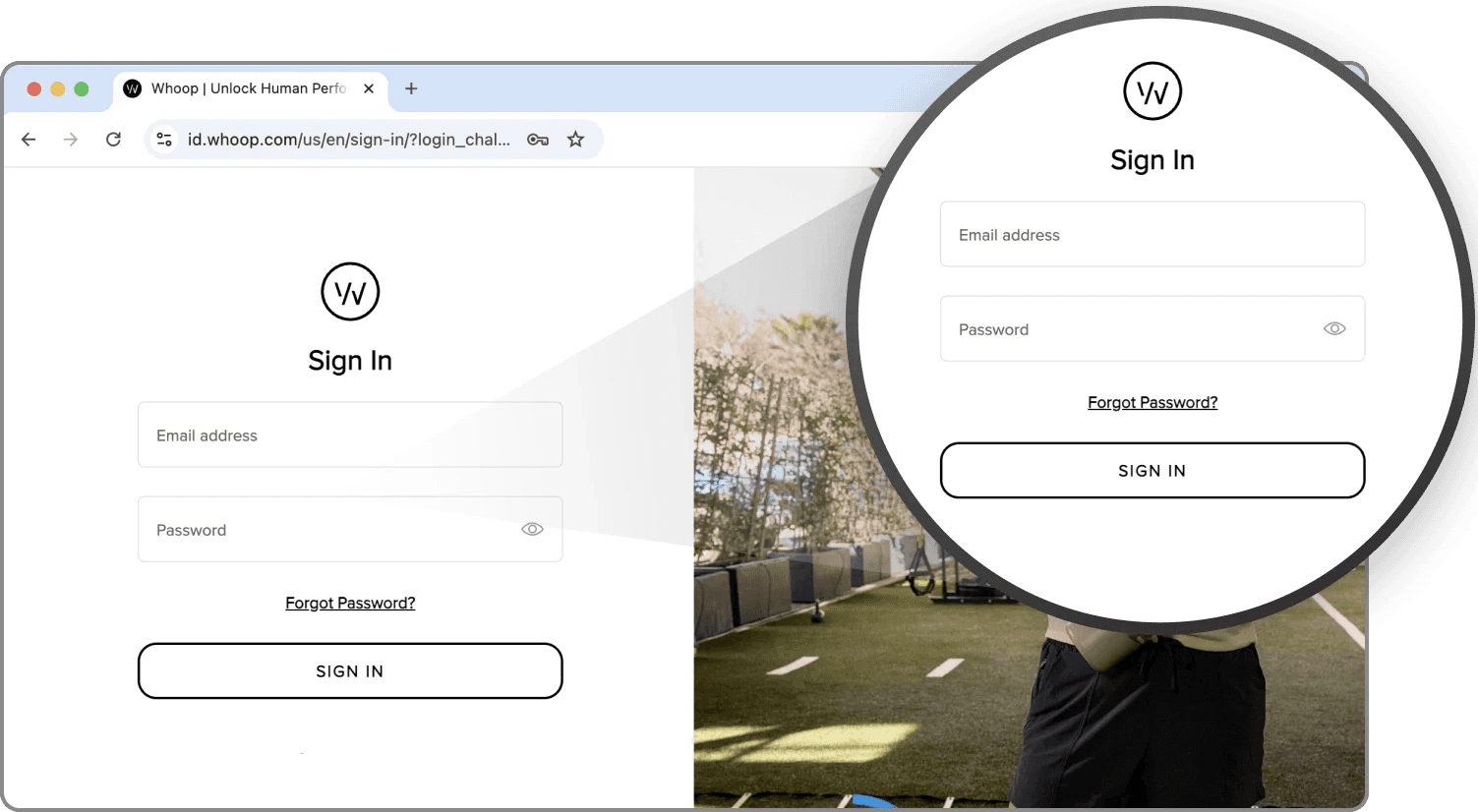
• You’ll be redirected to your wearable provider’s site.
• Log into your wearable provider's account.
Example (WHOOP):
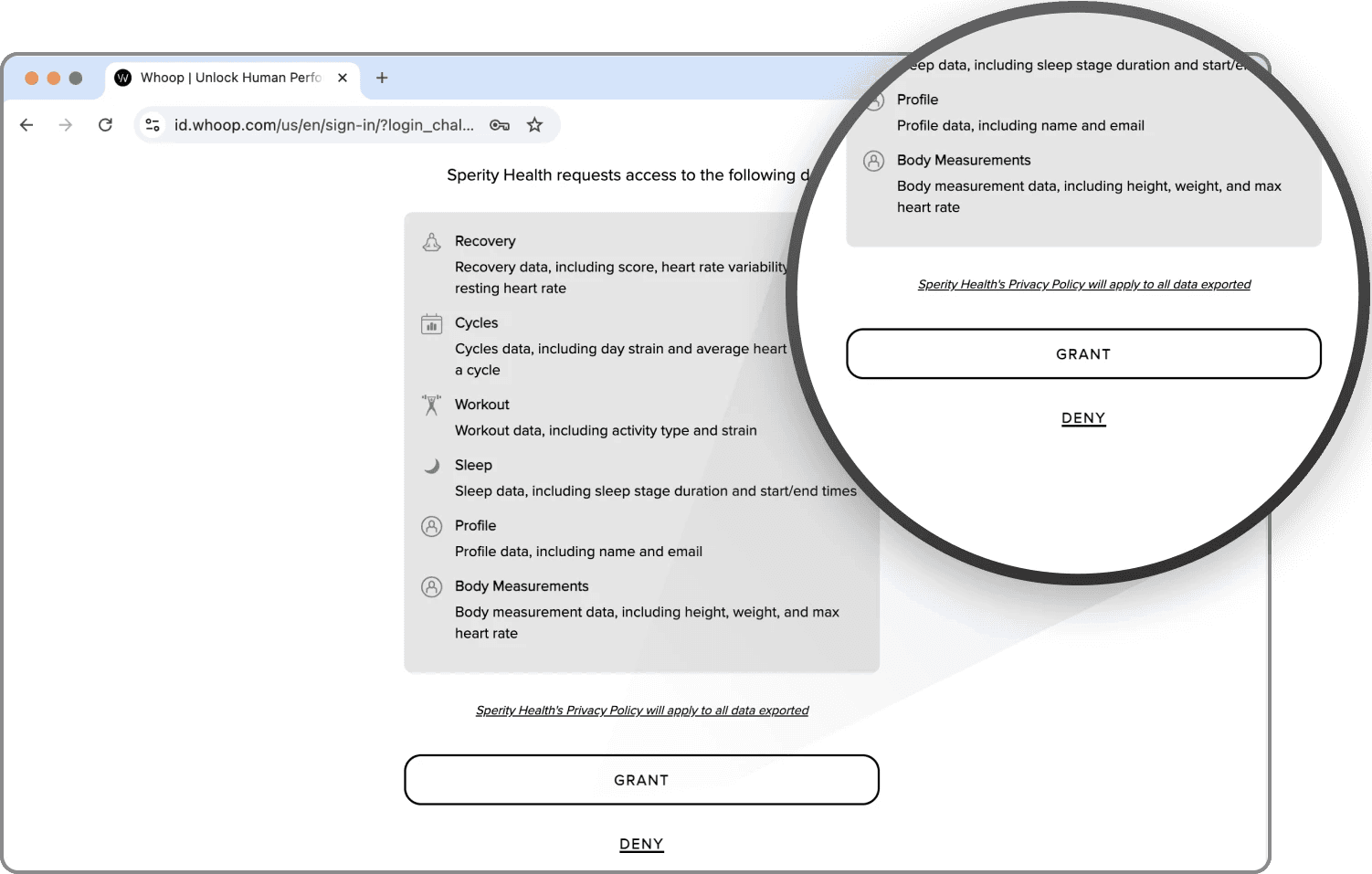
Approve access to sync your wearable data.
Example (WHOOP): select the “Grant” button
What Happens Next